BingX Guide | How to Prevent Phishing Attacks

2025-11-27 10:50
Phishing is one of the most common scams used by hackers. Attackers create fake websites, impersonate customer service, or send fraudulent notifications to trick users into submitting sensitive credentials like account passwords, verification codes, or recovery phrases to steal assets. For the safety of your assets, please remember: Any request for a mnemonic phrase or verification code is not from the official source.
1. What Is Phishing?
Attackers typically use disguises or messages to lure users into clicking malicious links or entering sensitive information. The sole purpose is to steal user assets.
- Fake Official Websites
- Fake Customer Service or Staff
- Fake Emails or SMS
- Fake Event QR Codes or Airdrops
- Malicious Contracts and Authorizations
- Scare Tactics Like Fake “Urgent Notifications” or “Account Anomalies”
2. Common Types of Phishing Attacks
- Investment and Consultation Scams
Scammers pose as crypto financial advisors to gain your trust, encouraging you to invest more and then disappear with your funds.
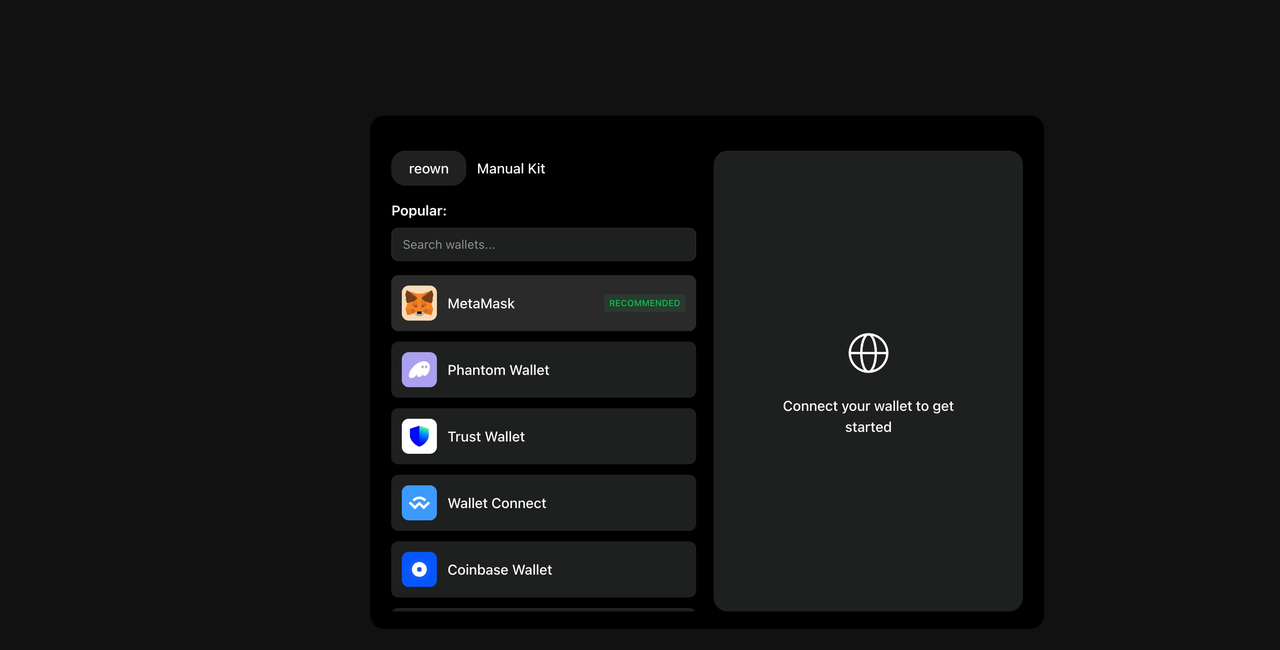
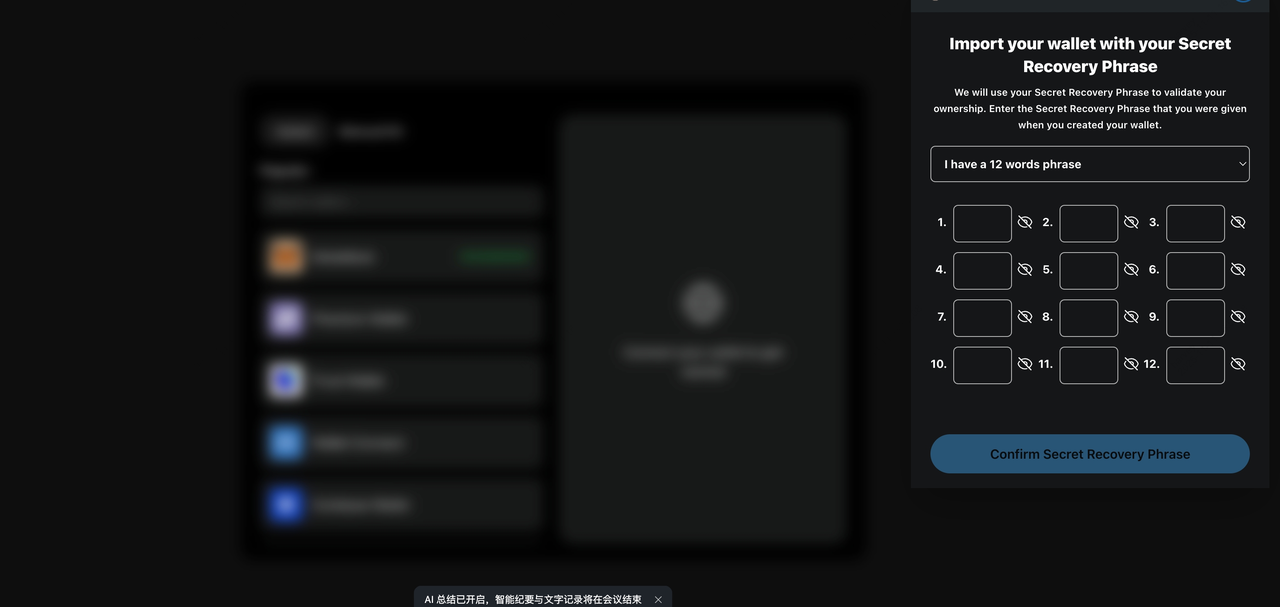
- Fake Official Websites
Use domain names that closely resemble the official one to trick users into entering recovery phrases or scanning codes to log in.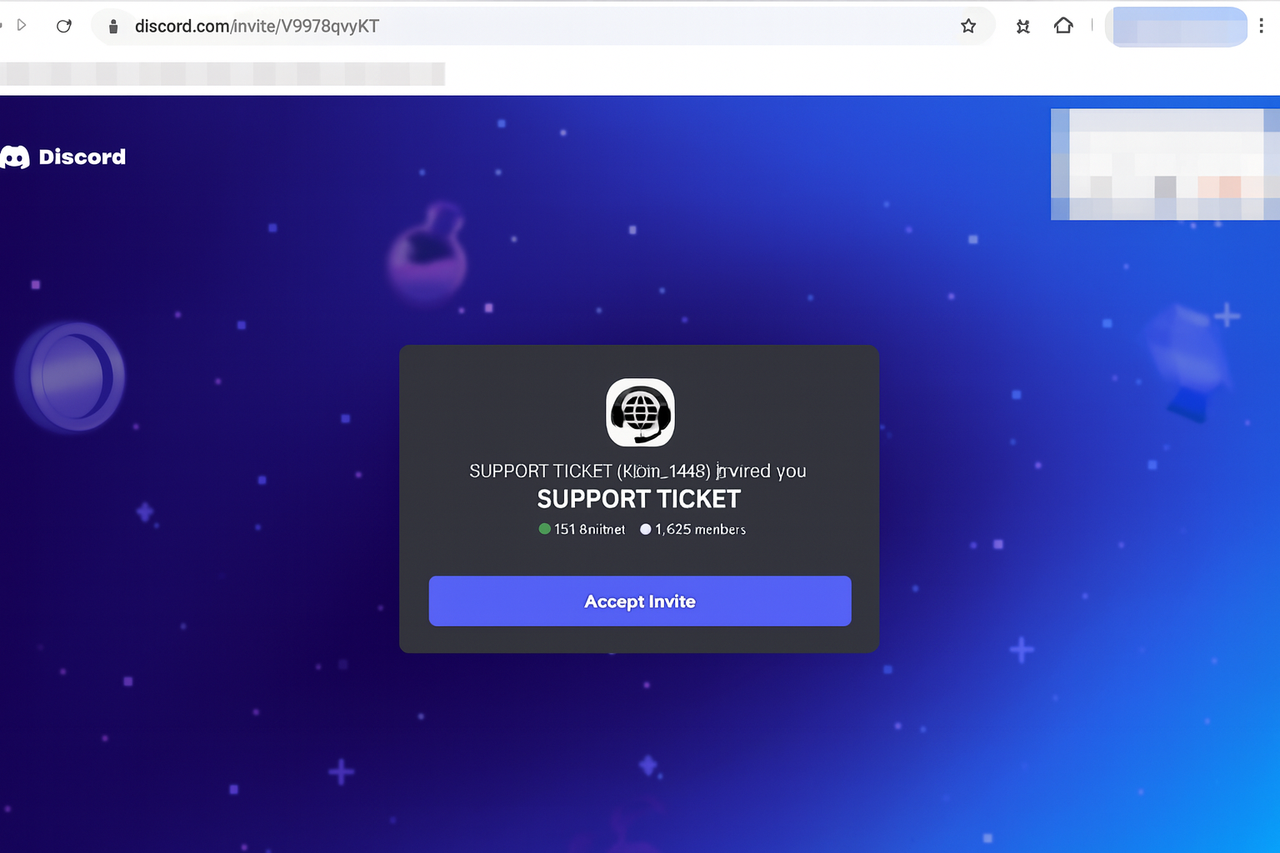
- Fake Customer Service / Fake Social Messages
Impersonate official customer service on social platforms or messaging apps, share fake promotions or screenshots to guide your actions.
- Phishing Emails / SMS
Emails or SMS containing malicious links, attachments, or QR codes.
- Voice Phishing
Posing as official customer support over the phone, requesting verification codes or other sensitive information.
- Malicious Contracts / Airdrop Scams
Users are tricked into signing authorizations, allowing attackers to steal assets from their wallets.
3. How to Prevent Phishing?
- Always Log In Through Official Channels
- Type manually: www.bingx.com
- Only download the app from App Store / Google Play or the BingX Official Website
- Do Not Click Unknown Links or Scan Unfamiliar QR Codes
- Never enter passwords, verification codes, or recovery phrases on unknown sites
- Ignore or report suspicious links directly
- Protect Personal Credentials
- Recovery phrases and private keys are highly sensitive. The official source will never ask for them.
- Avoid performing sensitive operations over public Wi-Fi
- Keep your system up to date and be cautious when granting high-level permissions
- Enable BingX Official Security Features
- 2FA Two-Factor Authentication
- Withdrawal Whitelist
- Remove Unknown Devices and Abnormal API Access
4. How to Set Up Security Protection in the BingX App
- Anti-Phishing Code
Path: Profile → Security Center → Anti-Phishing Code . If the email doesn't include an anti-phishing code, it's likely fake.
- BingX Verify
Path: Profile → Get Help → BingX Verify. Used to confirm whether a customer service or community account is official.
- Device Management
Path: Profile → Security Centre → Device Management. View login status of abnormal devices. If you detect suspicious logins, contact BingX customer service immediately to lock your account.
5. Emergency Procedures if You Suspect Phishing
- Immediately stop all actions (do not click, scan, or sign).
- Log in with a secure device and change your password + reset 2FA immediately.
- Delete unknown devices, APIs, whitelists, or other unusual permissions.
- Contact official customer service and request to lock your account.
- Save and provide evidence (screenshots, chat records, transaction IDs).
- If you find abnormal fund activity, report it as soon as possible to assist the platform with tracking and investigation.
6. Frequently Asked Questions (FAQ)
-
Q: Will the official source ever request my mnemonic phrase or verification code?A:Never! Anyone who asks is a scammer.
-
Q: What should I do if I receive an unknown airdrop?A:Do not authorize, do not sign, and do not interact.
-
Q: What if I discover a suspicious phishing site?A:Take a screenshot and report it via the support ticket on app. Do not take any other action.
7. Reminders and Safety Tips
Stay alert and do not trust unverified information. BingX is committed to providing a secure trading environment, but device security and personal habits are equally important. If you need help, contact us via in-app customer service or BingX Official Channels.
BingX Official Channels
BingX APP: https://bingx.com/download/ BingX Web: https://bingx.com
Telegram: https://t.me/bingx
YouTube: https://www.youtube.com/c/bingx
Risk Disclaimer
Cryptocurrency prices are subject to high market risk and price volatility. You should only invest in products that you are familiar with and where you understand the associated risks. You should carefully consider your investment experience, financial situation, investment objectives and risk tolerance and consult an independent financial adviser prior to making any investment. This material is for reference only and should not be construed as financial advice. Past performance is not a reliable indicator of future performance. The value of your investment can go down as well as up, and you may not get back the amount you invested. You are solely responsible for your investment decisions. BingX is not responsible for any losses you may incur.
BingX attaches great importance to compliance and has strictly abided by local regulations. Please obey local laws and regulations in your country or region. BingX reserves the right in its sole discretion to amend, change, or cancel this announcement at any time and for any reason without prior notice.
For more information, please refer to our Terms of Use and Risk Warning.

